
Web TraderSafari, Chrome & Edge

A complete trading terminal. Right in the browser.

A browser terminal for your clients. Charting, order entry and account monitoring without installing anything.
  • No installation
  • Account-synced workspaces
  • Live and demo accounts
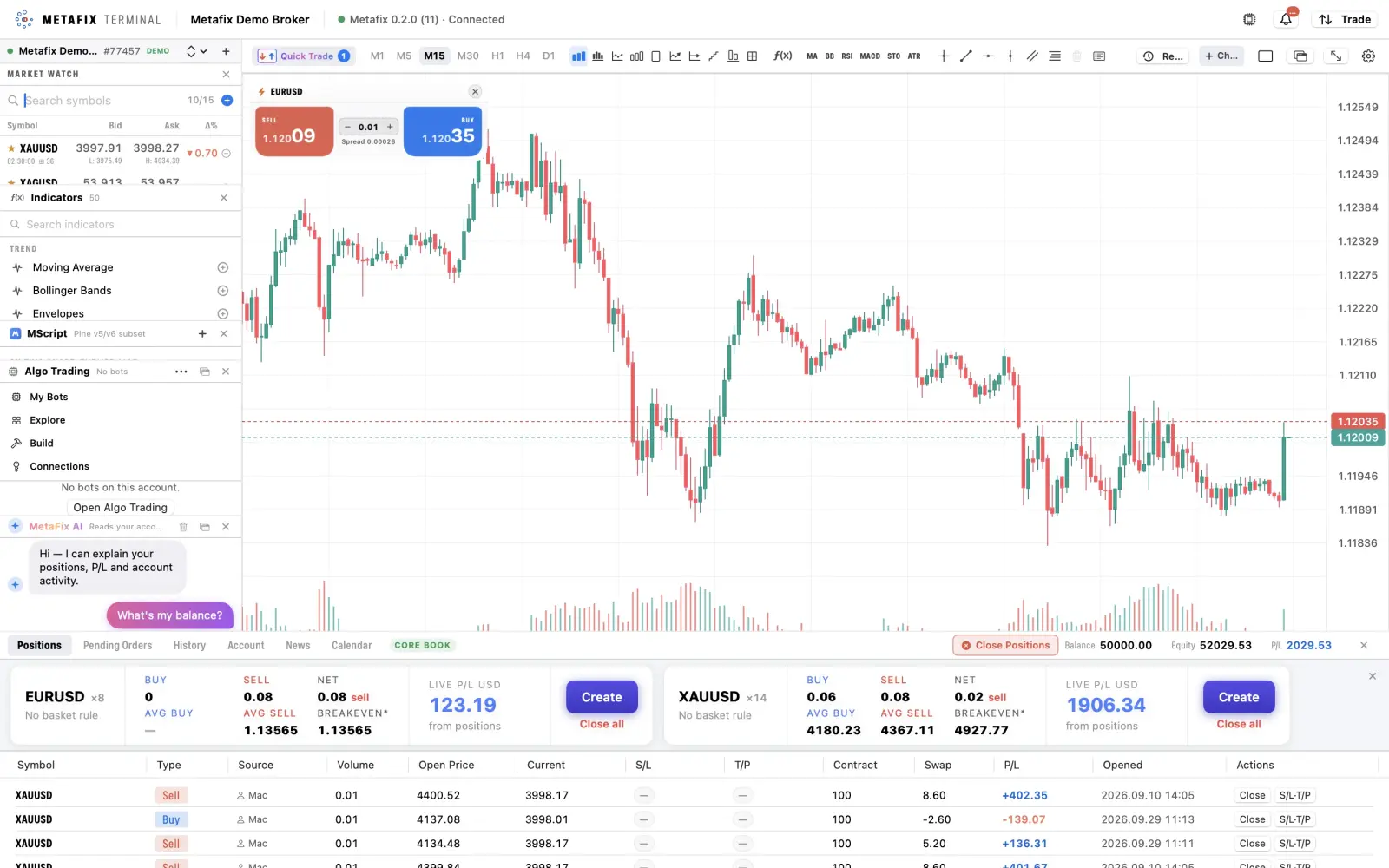
Actual Metafix Web Trader workspace with Market Watch, a EURUSD chart and the positions panel
  • 6Live charts per workspace
  • 10Chart types
  • 50Built-in indicators
  • 15Languages, incl. RTL
What traders get

Everything on one screen.

The same trading core and chart engine as the Metafix mobile and desktop apps, delivered through the browser.

A complete chart workspace

Up to six live charts, 10 chart types, 50 indicators and drawing tools, powered by the same trading core and chart engine as mobile and desktop.

Chart-based execution

Quick-trade cards, draggable price lines and a trade dial keep execution beside the analysis.

Position management built in

Partially close positions, edit Stop Loss and Take Profit, use server-side trailing stops and manage baskets with one-click close-all.

Analysis with account context

Use the MScript editor, AI script writer and MetaFix AI assistant. Any prepared trade action remains a draft until the trader confirms.

A workspace that follows the account

Account-synced workspaces bring the client’s layout back when they return to the browser. Safari, Chrome and Edge need no terminal installation.

Inside Web Trader

Explore the workspace, panel by panel.

Crops from actual terminal views keep the relevant controls readable. Prices and account figures are illustrative snapshots.
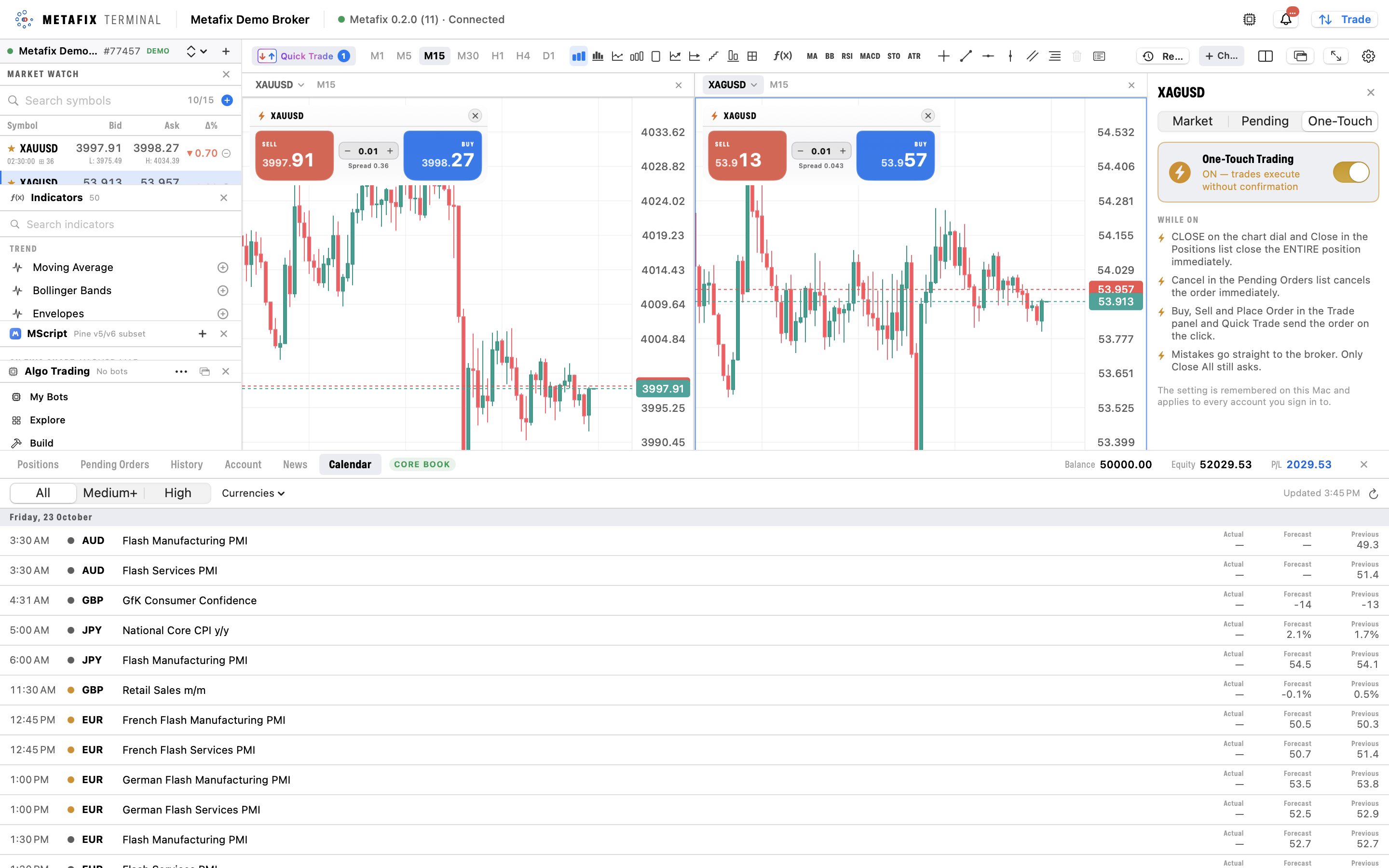
Cropped gold and silver charts with individual buy and sell quotes, lot controls and spread readings.
Gold and silver side by side, with separate Quick Trade controls.

Two markets. One view.

The side-by-side workspace shows XAUUSD and XAGUSD on M15 charts, each with its own price scale and Quick Trade card. A blue outline identifies the selected chart.

  • Quotes on the chartEach Quick Trade card shows Sell and Buy prices, a lot-size selector with minus and plus controls, and the spread. The example uses 0.01 lots for both symbols.
  • Timeframes and chart toolsThe toolbar offers M1, M5, M15, M30, H1, H4 and D1 shortcuts alongside chart-style, drawing and layout controls. M15 is selected in these views.
  • Read price action in contextCandles, price scales and bid/ask guide lines keep price movement visible. The single-chart EURUSD view also shows a volume histogram beneath the candles.
What it provides

Built into your brokerage workflow.

  1. 01Multiple chart types with SL/TP drawn on chart
  2. 02Market and pending orders, partial close
  3. 03Live P&L, equity and margin
  4. 04Trade journal and history
Connected by design
  1. 1
    Browser accessClients sign in from Safari, Chrome or Edge, with nothing to install.
  2. 2
    Chart & order ticketAnalysis and execution share one workspace.
  3. 3
    Trading ServerOrders run on your broker’s Trading Server.
  4. 4
    Account monitoringLive P&L, equity and margin stay in view.
Talk to Metafix

Explore Web Trader for your business

Discuss the modules, execution model and dedicated deployment that fit your business.

Request a demo