Algo & AIEAs, alerts & API

Welcome automated traders. Keep clear controls.

Automated trading and an in-app assistant, with limits the broker sets and the server enforces.
  • Expert Advisors
  • TradingView alerts
  • Custom bots via API
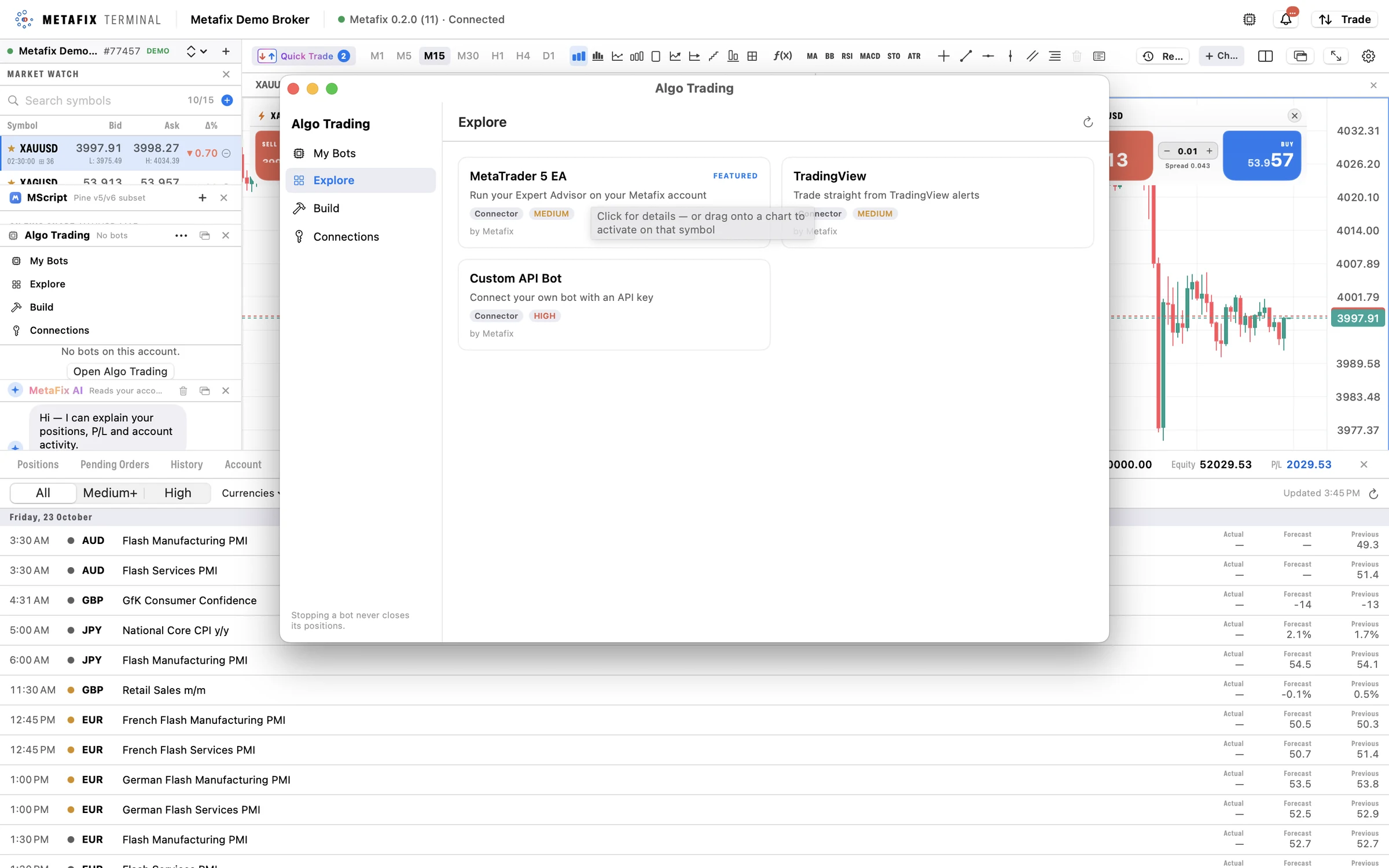
Algo Trading window in the Metafix desktop terminal
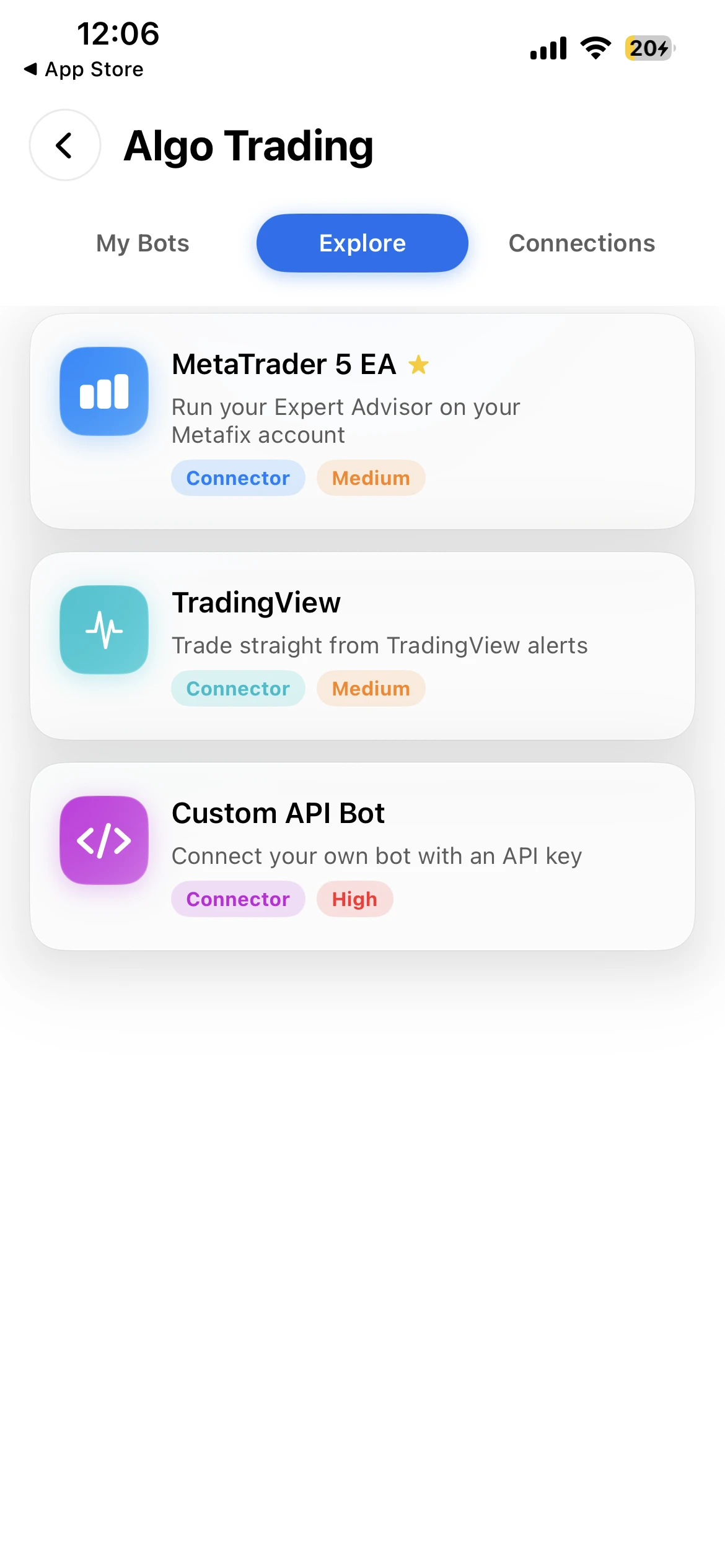
Algo Trading in the Metafix mobile app
  • 3Ways to connect a strategy
  • ScopedAccount-bound API keys
  • NoMoney movement through bot APIs
  • DemoFree strategy sandbox
Automated trading

Three ways to connect. One controlled pipeline.

Dedicated bot access keeps automation separate from the client-app connection path, with permissions and stop controls at account, broker and platform level.

Connection 01

Expert Advisors

Connect an existing EA through the Metafix connector library and an account API key. Discuss connector compatibility and setup with the team.

Connection 02

TradingView

Turn strategy alerts into orders, with limits for each bot’s symbols, permitted actions and order size. No bot code needs to be hosted by the trader.

Connection 03

Custom bots

Use a REST API from your preferred language, with Python examples, live event streams and signed webhooks.

  1. Your strategyEA, TradingView alert or custom bot
  2. Scoped API keyRead-only or trading, optional expiry and IP allowlist
  3. Broker limitsSymbols, actions and order size
  4. Trading ServerThe same pipeline as every order
Access, permissions & oversight

Automation with a stop control at every level.

Scoped keys, signed requests and a dedicated bot API keep automated trading inside clear limits. Discuss connector support, API access and deployment-specific security settings with the team.

Discuss API access
  • Scoped account accessChoose read-only or trading permissions for account-bound keys. Optional expiry and an IP allowlist give further control.
  • Signed requestsRequest signing and replay-protection controls help protect the automated trading pipeline. Bot access runs through a dedicated API, separately from the client apps.
  • Trading access, without money movementBot APIs do not provide deposit or withdrawal functions. An automated strategy cannot use them to move client money.
  • A stop control at every levelTraders revoke a key from the app to stop a bot. Brokers can use Block EA Trades, with a platform-wide bot halt also available.
  • Test on demo firstDemo accounts provide a free sandbox for testing strategies through the trading pipeline before connecting a live account.
  • Webhooks to your own systemsTrade-event webhooks for bot developers, and broker-wide signed webhooks that send events for one account, all clients or the whole platform to your own systems such as a CRM, with delivery health, retries and secret rotation.
For developers

A bot-facing API written to be coded against.

The Client Trading API is the dedicated surface for Expert Advisors, TradingView strategies and custom bots: account state, positions, orders, protection, market data and an ordered event journal, over signed HTTPS, with the same risk checks as every other order.

Your own API address

Each broker gets its own API address and certificate, separate from the mobile app connection. One API key identifies one bot deployment trading one account.

Signed, never bearer

Every request is signed with a secret that never leaves your machine. Keys carry read or trade scope, optional expiry and an IP allowlist, and a revoked key stops the bot on its next heartbeat.

Commands that cannot double up

Idempotency keys and a recovery route resolve any ambiguous request, so a timeout never becomes a duplicate order. A dry-run route says whether an order would pass and how much margin it needs.

Every change attributed

Each order, position and fill records who created it and who acted on it: your bot, another key, a person in the terminal, an admin or the engine itself, with the trigger reason for Stop Loss, Take Profit and stop-out.

Events three ways

An ordered event journal with cursors for recovery, a WebSocket stream for low latency, and optional signed webhooks. Money values travel as decimal strings, so volumes never drift.

Reference clients included

Complete, tested clients in Python, TypeScript, Go and C#, an MQL5 Expert Advisor connector and a TradingView Pine bridge pattern, each with a startup self-test. Ask for the Integration Guide v1.2.

Ask the team for the Client Trading API Integration Guide v1.2 and a demo account to test against.

In the apps

Find, connect and follow bots anywhere.

Algo Trading is built into the Metafix apps. Actual screenshots from the mobile app and the desktop terminal.
Metafix mobile Algo Trading explore screen with MetaTrader 5 EA, TradingView and Custom API connectors
Explore connectors in the mobile app.
Algo Trading window in the Metafix desktop terminal showing three connectors
The Algo Trading window on desktop: My Bots, Explore, Build and Connections.
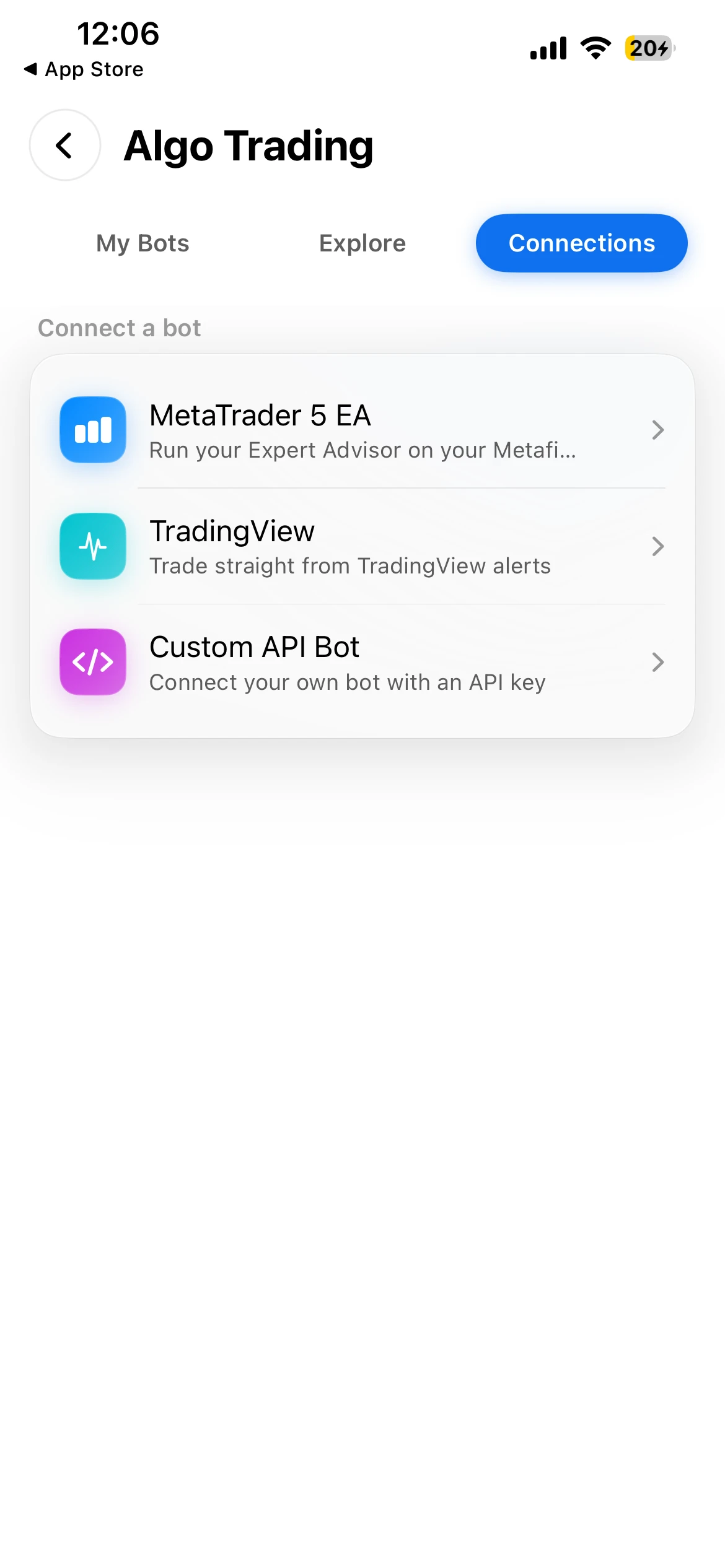
Metafix mobile bot connections screen
Manage bot connections from the phone.
MetaFix AI

An assistant that knows the account.

Ask about performance, positions, prices, calendar events and statements in any of the 15 app languages. Review every draft action before confirming.

Explore the AI assistant
What it provides

Built into your brokerage workflow.

  1. 01Expert advisors, TradingView alerts and API
  2. 02Bot marketplace with activation and monitoring
  3. 03AI assistant for balances, positions and prices
  4. 04Orders prepared as drafts and confirmed by the client
Connected by design
  1. 1
    Strategy or requestA bot, an alert or a trader’s question to the assistant.
  2. 2
    Broker-enforced limitsPermissions and limits set by the broker apply.
  3. 3
    Client confirmation for AI draftsAI-prepared orders wait for the trader to confirm.
  4. 4
    MonitoringFollow bots and stop them at any level.

Copy trading and prop firm programmes are in development. AI-prepared orders require client confirmation.

Talk to Metafix

Explore Algo & AI for your business

Discuss the modules, execution model and dedicated deployment that fit your business.

Request a demo