
Open or paste a script
Use Open .pine or paste source into the editor. Check compatibility with the supported Pine v5/v6 subset.
Open a supported Pine script, write in the editor or describe your indicator to MetaFix AI. Review the code and choose when to add it to the chart.
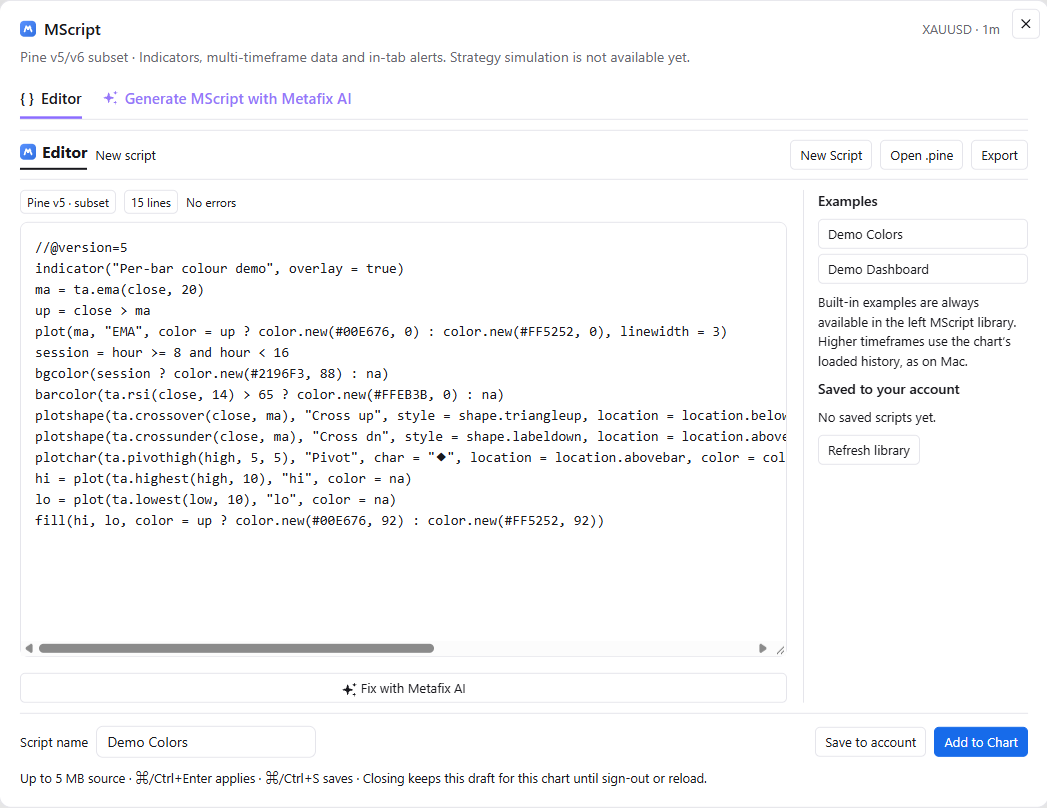
Use Open .pine or paste source into the editor. Check compatibility with the supported Pine v5/v6 subset.
Choose New Script or start from Demo Colors or Demo Dashboard. Edit the source, review its status and name your script.
Explain what to measure, which timeframe to use and what should happen. Generate MScript and review the explanation before applying it.
Crops from the actual MScript window keep the relevant controls readable.
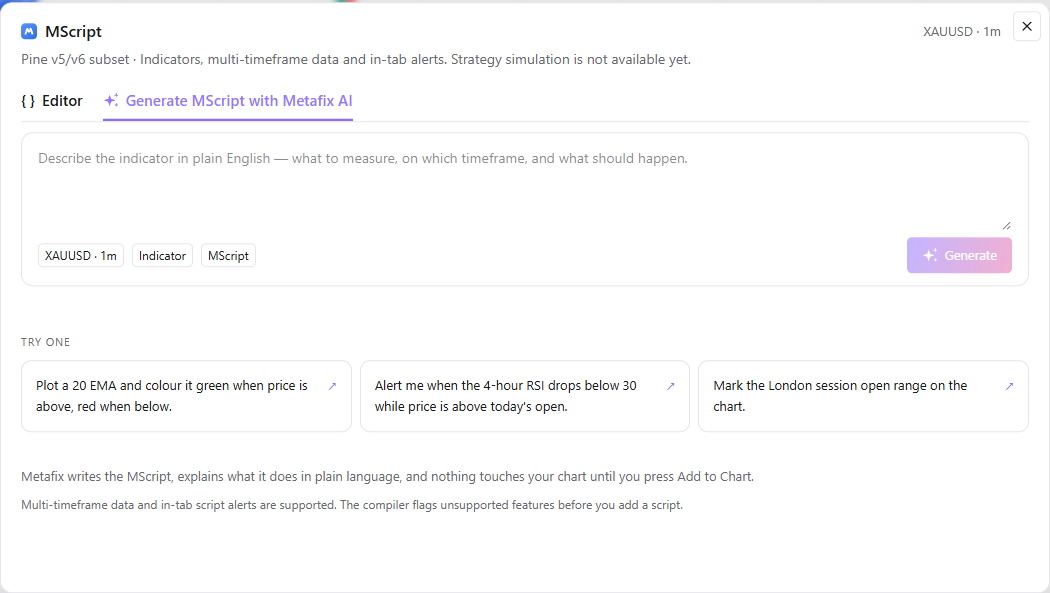
Describe the indicator in plain English: what to measure, on which timeframe, and what should happen. The generation screen shows the current chart context, XAUUSD · 1m, alongside Indicator and MScript labels.
See MScript alongside charts, indicators, account tools and execution controls.
Mac & WindowsExplore the native chart workspace and scripting tools.
Account conversationsAsk about balances, positions and bot activity through text or voice.
Explore the MScript editor, supported Pine syntax and AI generation in a guided demonstration.